Core intranet
|
- The New hire onboarding feature is now live. Those with permission can easily flag onboarding content across sites without having to organize them manually. They can create an easy-to-follow path for new hires to obtain information needed to successfully onboard. Learn more
|
- Content moderation is now live. Content moderation proactively prevents inappropriate content from appearing in posts and replies, and allows users to report content that wasn't automatically censored. Reach out to your Simpplr representative to have this feature enabled for your org. Learn more
|
- Personalized carousel is now live. Users with dashboard control will be able to configure the home carousel to show content relevant to each individual user based on our content recommendation engine. Learn more
|
- Apps & links has moved to its own menu.
|
- Audiences can now be created with a CSV file. Learn more
|
- Simpplr's analytics platform has been improved to allow for more frequent data updates (from every 24 hours to every 3 hours) as well as far better performance for large datasets.
|
-
Simpplr can accommodate any Identity Provider (IDP) supporting SAML 2.0. Currently, our native SSO capabilities are tailored for Okta, Azure, Google, OneLogin and Workday.
However, if your org requires SSO with DUO or JumpCloud for example, Simpplr will not need to develop dedicated integrations. With a generic SAML 2.0 framework, we can seamlessly support any IDP via a metadata URL.
Simpplr can support and SAML 2.0 or OpenID Connect (OIDC)/OAuth 2.0 identity provider not mentioned above. Learn more
|
|
|
Integrations
|
- Simpplr now offers a Dropbox file storage integration. You can now add and manage your org's Dropbox files directly in Simpplr sites. Learn more
|
- People data: Simpplr will now send out emails to admin users for licenses exhausted during provisioning process.
|
| |
Special features
|
- Employee listening: Survey managers now have more flexibility in how they share survey reports with team members. They can decide whether to show a full access report with all filters or a pre-filtered view with limited filters. They can also choose whether to include survey comments. Learn more
|
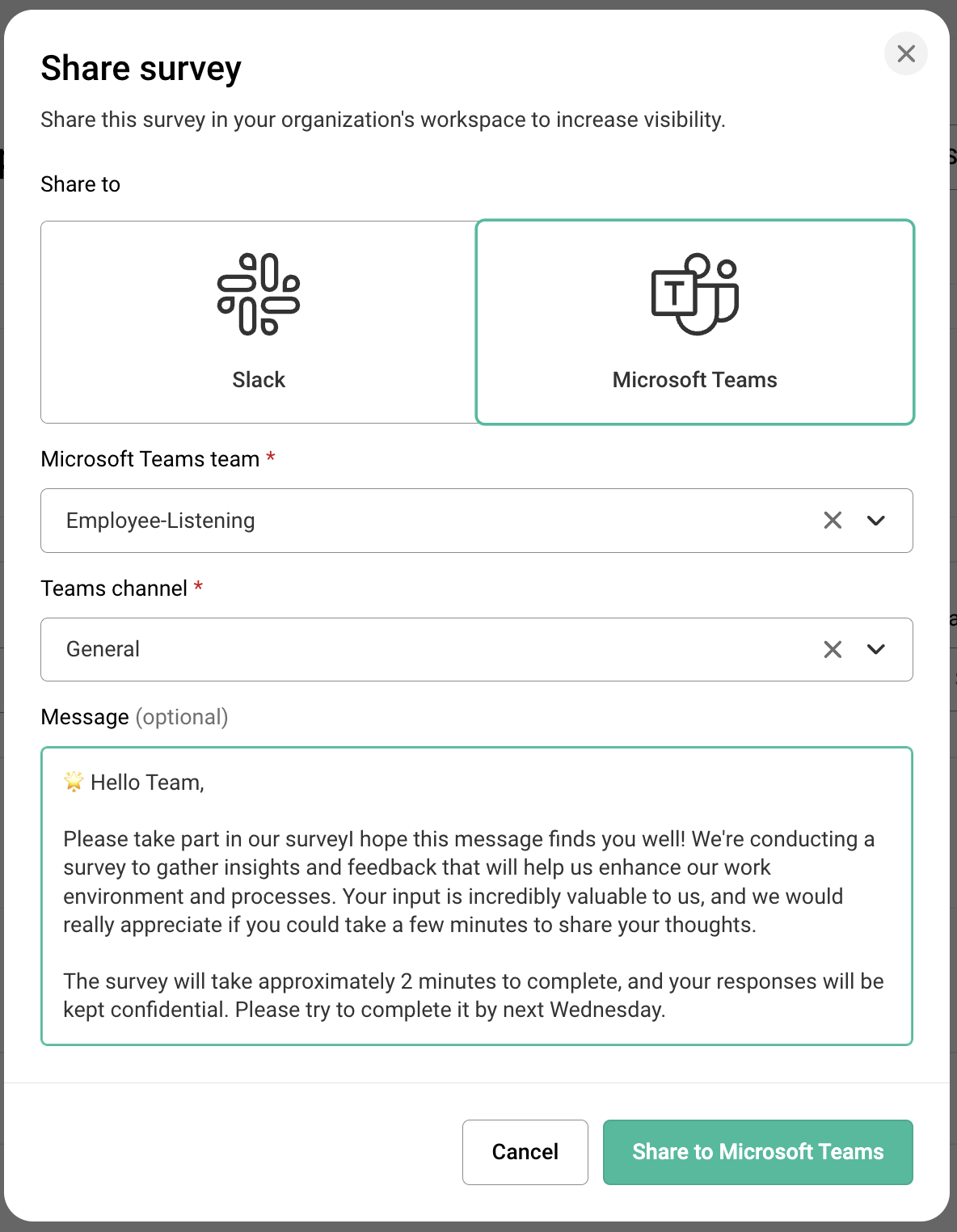
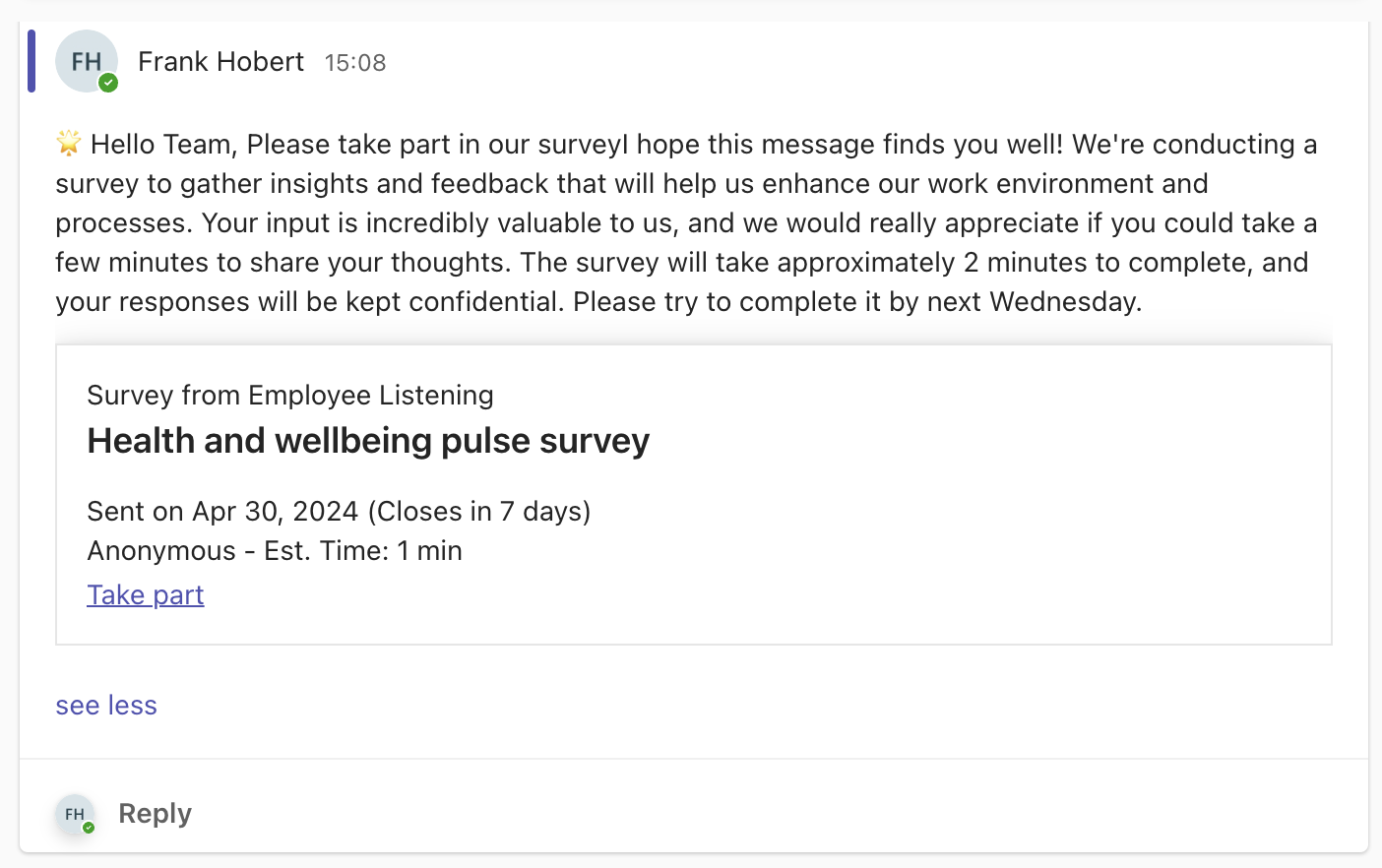
- Survey managers can now send out survey participation invites to teams directly through messaging integrations Slack and Microsoft Teams. Learn more
|
- Recognition suite: The My team dashboard now highlights recognition both given and received for each direct report.
|
- Recognition suite: We've enhanced the Recognition analytics dashboard to highlight better high-level recognition metrics.
|
- Recognition suite: Recognition-focused notifications can now be sent via email. These include:
-
- You have been recognized
- A direct report has been recognized
- A recurring award you manage is ready to be awarded
Learn more
|
- Employee newsletter: Unique clicks on individual elements in a newsletter are now tracked. This helps newsletter managers gain a better understanding of where their audience is engaging across the newsletter most. Learn more
|
- Employee newsletter: Users with the Native video add-on can now embed videos directly into their newsletters.
|
- Perception dashboard: As part of our continuous improvement of AI features, we are releasing a new (English) emotions detection model. This model is an upgrade from previous models, with some major enhancements around things like double negatives and better emoji support. While it will not include all emojis, it takes into account standard emojis such as smiley face or angry face as part of the full content now. for example, the phrase "I'm good :)" will now carry a higher positive sentiment value than "I'm good." Learn more
|

Comments
Please sign in to leave a comment.