
App managers and those granted the right permissions can add, remove, or edit users in the Application settings > Users menu.
From the main dashboard, you can add, update or remove one or multiple users, as well as add profile photos for all users via ZIP/TAR files.
Note:
Inactive users in your intranet do not take up a user license.Manage sessions/log in as other users
To log in as another user, head to the user's name, click the three dots, then Login as.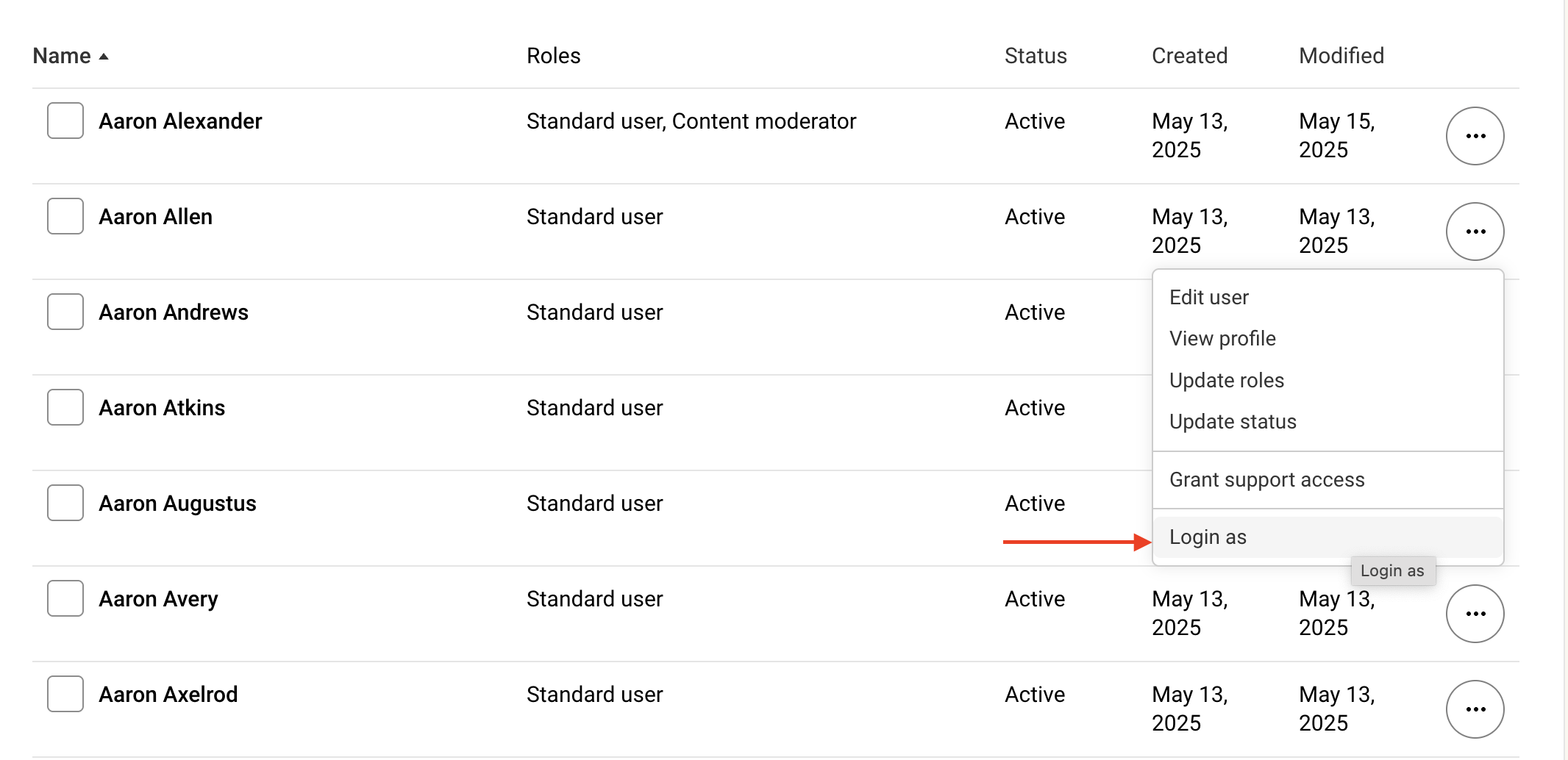
When logged in as another user, to head back to your own profile, simply click Log out from the top of the screen.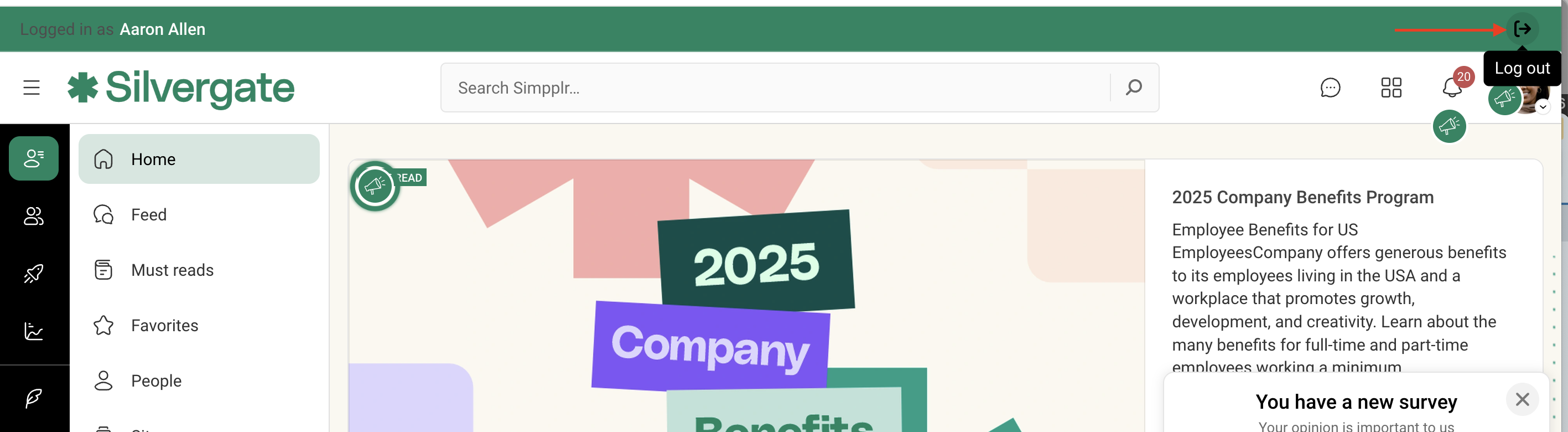
Comments
Has the "log in as user" feature been deprecated with the most recent updates? It does not show up as an option under Manage > Users.![]()
Hi Mindi. Yes, we removed the "log in as" option due to ongoing security concerns. The team is working on a replacement to this feature that is expected to roll out soon.
Please sign in to leave a comment.