BambooHR integration with Simpplr
Updated 8 months ago
Simpplr supports people data syncing with BambooHR.
To set up your BambooHR integration with Simpplr, as the Application manager:
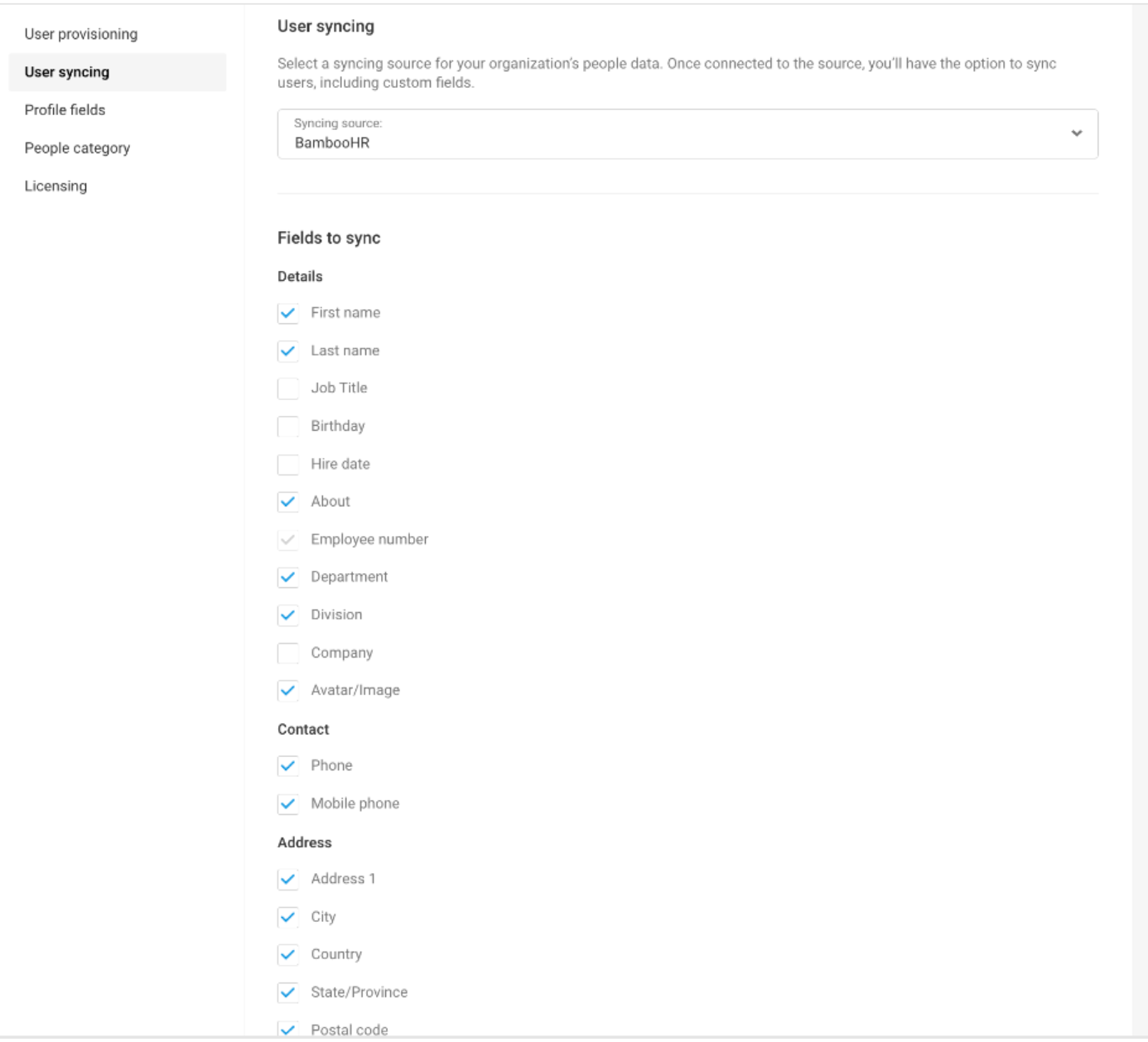
You can select BambooHR as a syncing source by going to Manage > Application > People > User syncing. Select BambooHR from the syncing source dropdown. After doing this, you will select the fields you would like mapped over into Simpplr automatically. Map the syncing fields accordingly.
Field | Standard/Custom Field | Bamboo HR Field | Simpplr Field |
|---|---|---|---|
Employee Number | Standard | - |
|
First name | Standard | First Name (required field) | FirstName |
Last Name | Standard | Last Name (required field) | LastName |
Date of Birth | Standard |
|
|
Job Title | Standard | Job Title (can be used for audience) | Title |
Hire Date | Standard | Hire Date (can be used for audience) | Joining_Date__c |
Company Name | Standard |
|
|
Department | Standard | Division (can be used for audience) | Division |
Division | Standard | Department (can be used for audience) | Department |
Work Email | Standard | Email (required field) | |
Mobile Phone Number | Standard | Mobile | MobilePhone |
Home Phone Number | Standard |
|
|
Street 1 | Standard |
|
|
Street 2 | Standard |
|
|
City | Standard |
|
|
State | Standard | State (can be used for audience) | State |
Zip Code | Standard |
|
|
Country | Standard | Country (can be used for audience) | Country |
Manager ( Reporting_to) | Custom |
| ManagerId |
Is Manager | Custom |
|
|
Office Location* (in Bamboo) | Custom |
| Office_Location__c |
Is Manager | Custom |
|
|
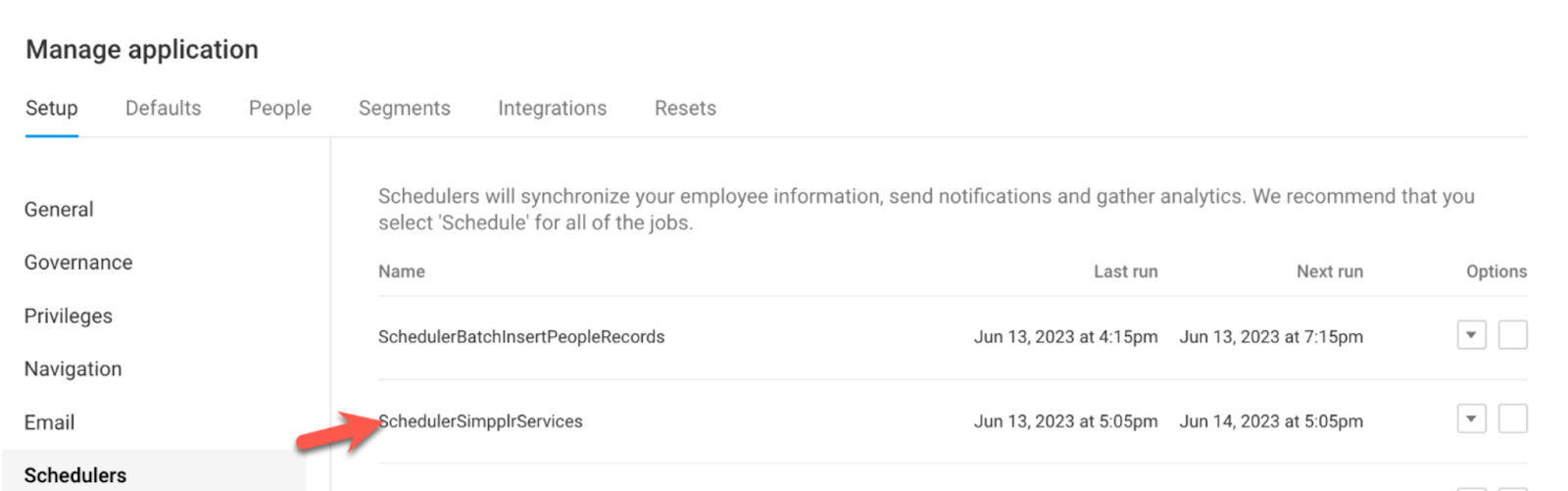
Now navigate to the Schedulers tab and find the SchedulerSimpplrServices option. From the dropdown, choose Run now. Your data should sync in real time. The scheduler will also run every 24 hours by default.
Once BambooHR is connected to Simpplr, you can edit or disconnect the integration by going to Manage > Application > Integrations > People Data and unchecking the box for BambooHR, or choosing Disconnect account.
Choosing Edit will allow you to make changes to your people data directly in Simpplr without disconnecting the integration. To make edits: