General Availability: 9/9/2024
Improvements
Core intranet
|
|
Note: The feature below on image cropping was released prematurely, and has been turned off until the upcoming 24.11 release (11/11), when it will be fully built.
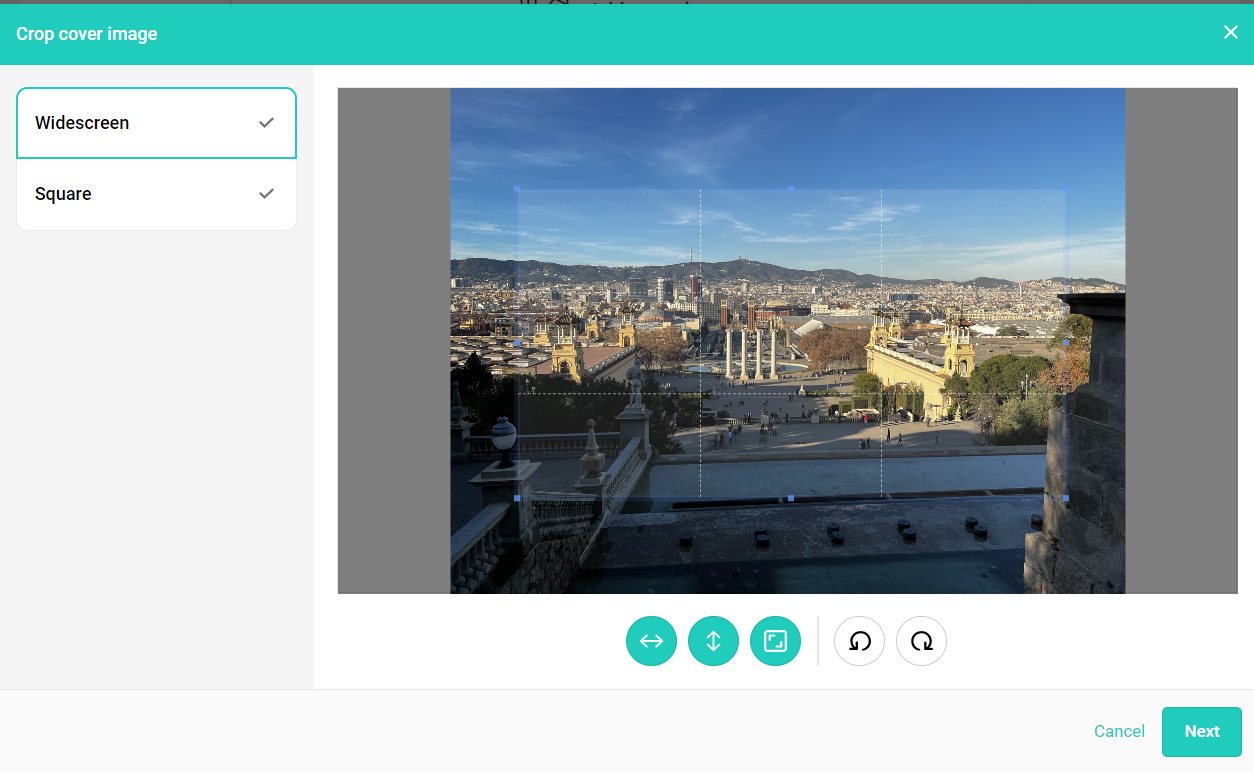
- When cropping images in content, users now have more flexibility to resize the image however they'd like. Crop and resize the appropriately for the cover (widescreen) and thumbnail (square). The options presented here allow you to set a:
- Minimum height
- Minimum width
- Aspect ratio
-
By default all these options are set, so the image cropper can be resized until a minimum width and height are set with maintaining the aspect ratio.
If minimum width is unselected - The image cropper can be resized maintaining a minimum height respecting the aspect ratio
If minimum height is unselected - The image cropper can be resized maintaining a minimum width respecting the aspect ratio
If both minimum height and width are unselected - The image cropper can be resized respecting the aspect ratio without any minimum height and width
If all three options are unselected - The image cropper can be resized without any restriction, and you can select any shape or size of the image
If all three options are selected - The image cropper can be resized with a minimum height and width, and by maintaining the aspect ratio
|
- The new content locking mechanism prevents multiple editors from editing content at the same time. At any time, only one content editor will be allowed into the content.
- If no activity occurs in 30 minutes while one editor is in the content, the locking period will end, and another editor may edit the content.
- If any 2nd editor tries to edit the same content, a warning is shown to the original editor, and that user can choose to continue the lock the content for an extended time before allowing further edits. Otherwise the content will be released for further editing by someone else.
- If the first editor is inactive for 30 minutes, a warning is shown, and if no action is taken, locking will end and any changes made without saving will be lost before kicking the user out of the content.
|
- On the Teams dashboard of app analytics, users can now group by department and location
|
- Analytics: Platform data will now update in 3-hour increments
|
|
|
|
|
- Summaries & digest emails: App managers can now overwrite existing notification settings for users when configuring digest emails
|
- Campaigns: Files details for attached files in campaign content now offer a preview mode
|
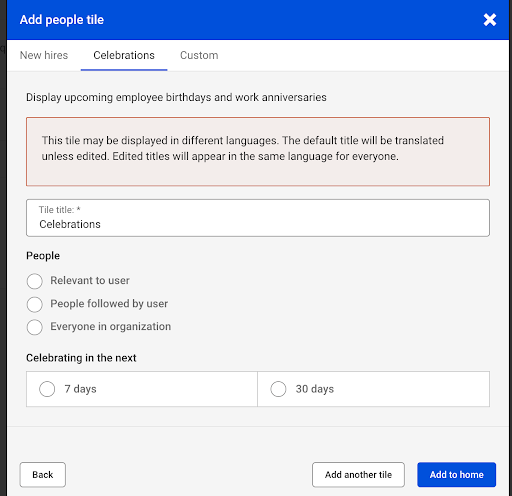
- Segments: Segments now support celebration tiles. Display celebrations of only those users who belong to the segment
|
|
|
Integrations
|
- Slack Click2chat functionality is now available from people, site members and global search. Learn more
|
| |
Mobile
|
- App managers can now choose to include a branded app or unlisted app download link in the footer of the web app, allowing users easier distribution of your org's branded mobile app. Learn more about branded mobile here
|
| |
Special features
|
- Employee Listening: Users with survey manager permissions can now add surveys directly to content that they own/manage. Learn more about surveys
|
|
|
Bug fixes
-
-
- Data discrepancies in analytics adoption data have been resolved
- A platform change caused wonky behavior for a couple of days with our benchmarks. That issue has been resolved. Additionally, the content published benchmark for one of our benchmark segments was massively shifted by some anomalous customer behavior on the platform. We have noted this behavior and will harden our benchmark calculations in the near future
- Search terms with results is showing as "search terms with no results"
- Receiving internal server error when attempting to manually deprovision with a user count of over 20,000
- When scrolling through an org chart, the view jumps back to a previous entry or some of the profiles disappear entirely
- Site has a folder that is not showing in the list of folders
- When hovering over users, the Division field is removed from the display
- Files sometimes download with incorrect names
- No https in email footer
- Internal server error when creating a feed post with video attached
- Cannot change file folder name

Comments
Please sign in to leave a comment.